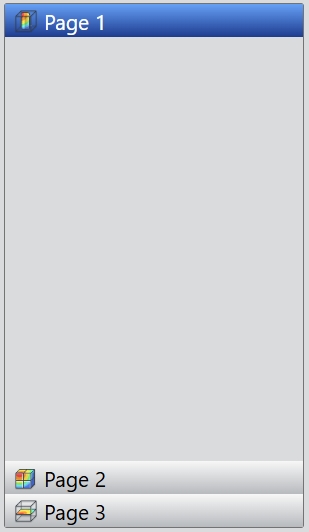
ToolBox
Detailed Description
The ToolBox class provides a column of tabbed widgets. See also TabWidget.
Widgets are added using add(), or inserted at particular positions using insert(), or removed from the tool box with remove().
The total number of items is given by the count property. The index of the current widget is returned by the index property.
Event
The index change event is emitted when the current widget is changed.
// Listen for the index change event
toolBox.bind('indexChanged', (event: IndexChangeEvent): void => {
    event.index; // The index of the current widget.
});
Example code
In the code below, you will create a tool box:
const desktop = Desktop.instance();
const toolBox = new ToolBox(desktop);
const page1 = new Widget();
const page2 = new Widget();
const page3 = new Widget();
toolBox.add(page1, 'Page 1', 'Iso_Surfaces_32.png');
toolBox.add(page2, 'Page 2', 'Parts_32.png');
toolBox.add(page3, 'Page 3', 'Planes_32.png');